

Tablet and mobile friendly
TrendSTOP Operator Panel
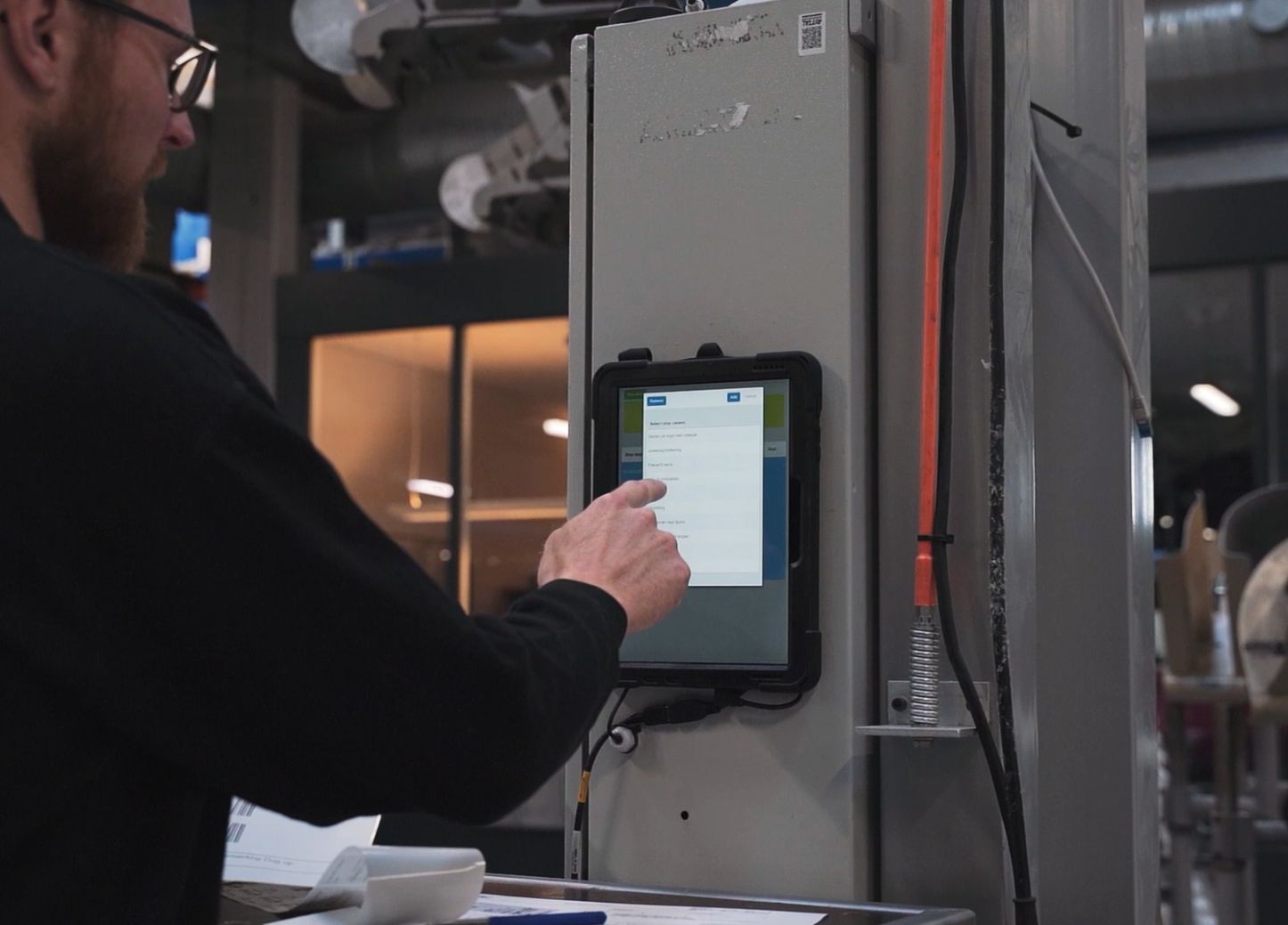
Give operators one screen that does it all. From the TrendSTOP Operator Panel they log stop reasons, start orders, report faults, run quality checks and see live data from the line — so reporting what happens on the floor takes one tap, and every module gets the data it needs.
Stop cause registration
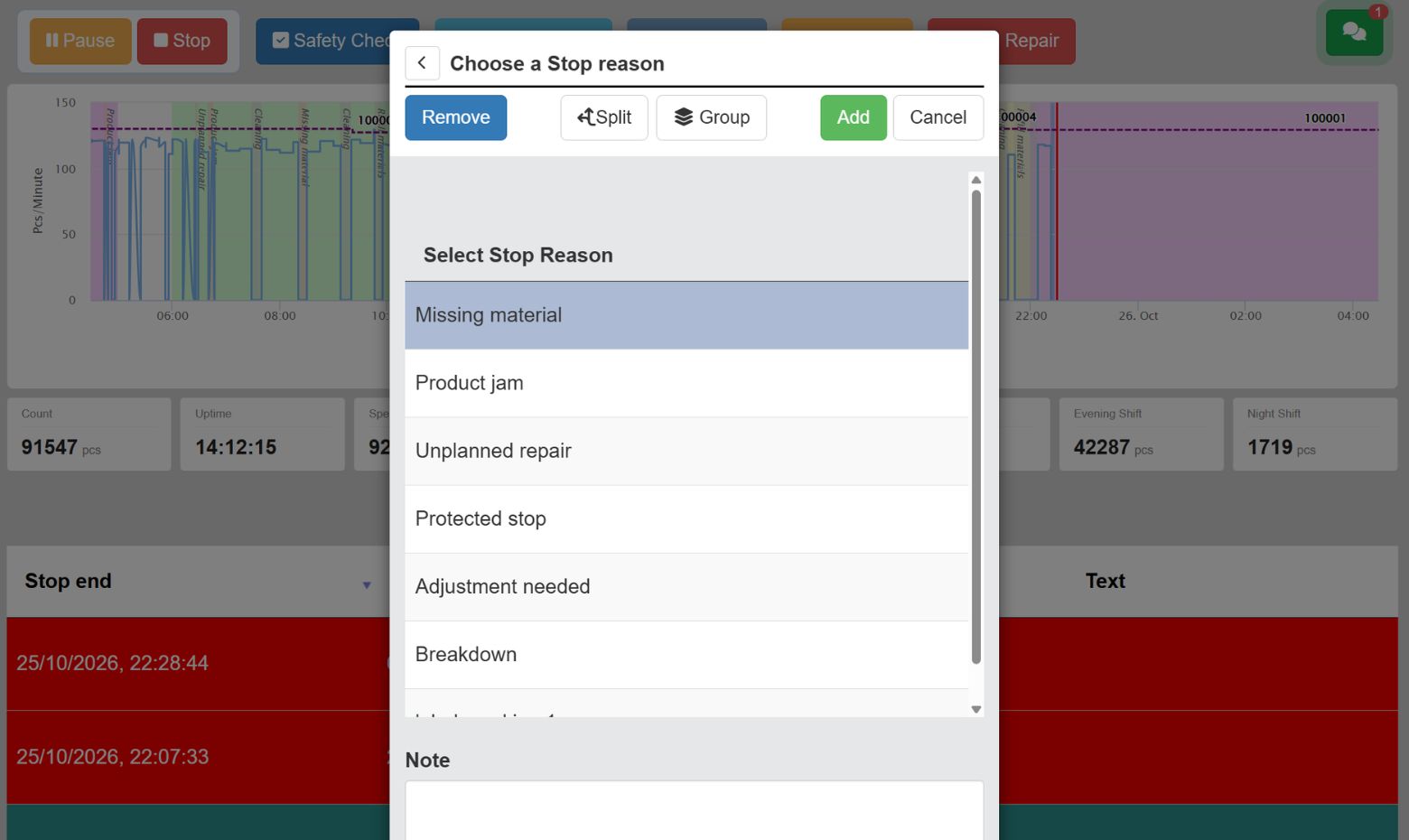
Make it easy to register downtime reasons
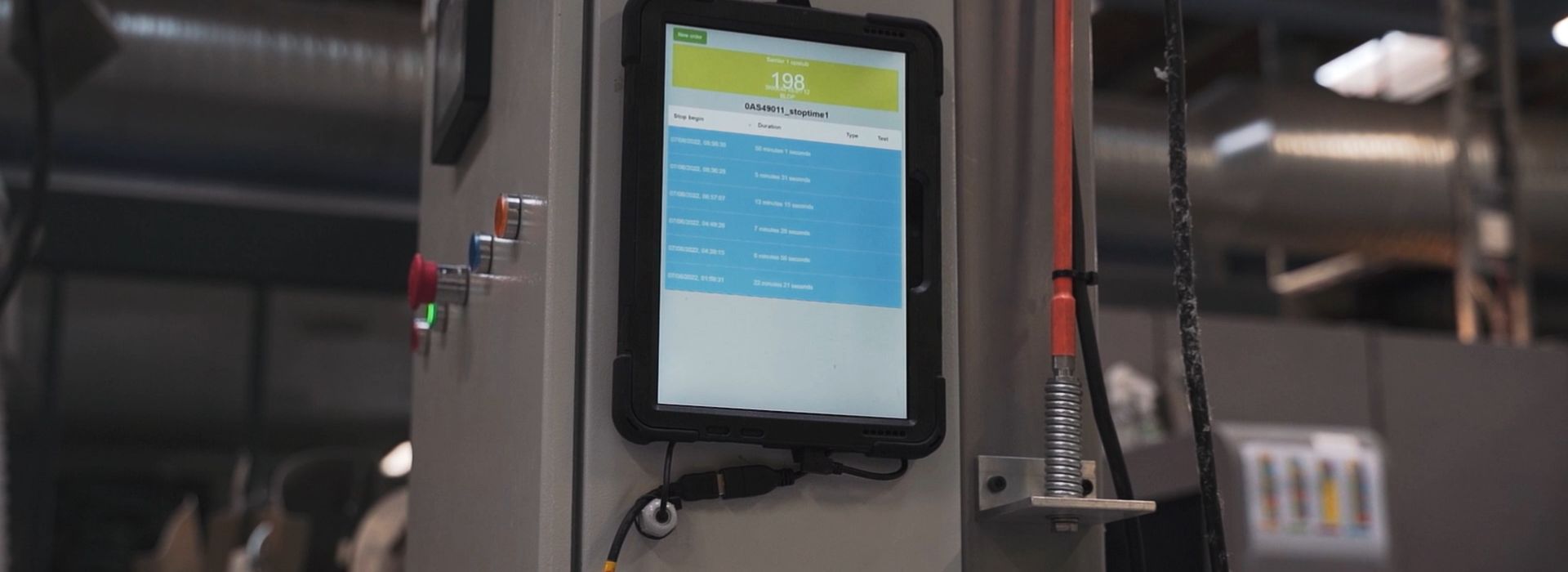
When a line stops, the operator logs the reason in one tap — category and timestamp saved, no paper. The new ‘Ongoing stop’ view shows what’s down right now and for how long. Every stop flows straight into TrendOEE as the reason behind the number.
Mobile & Tablet-Friendly
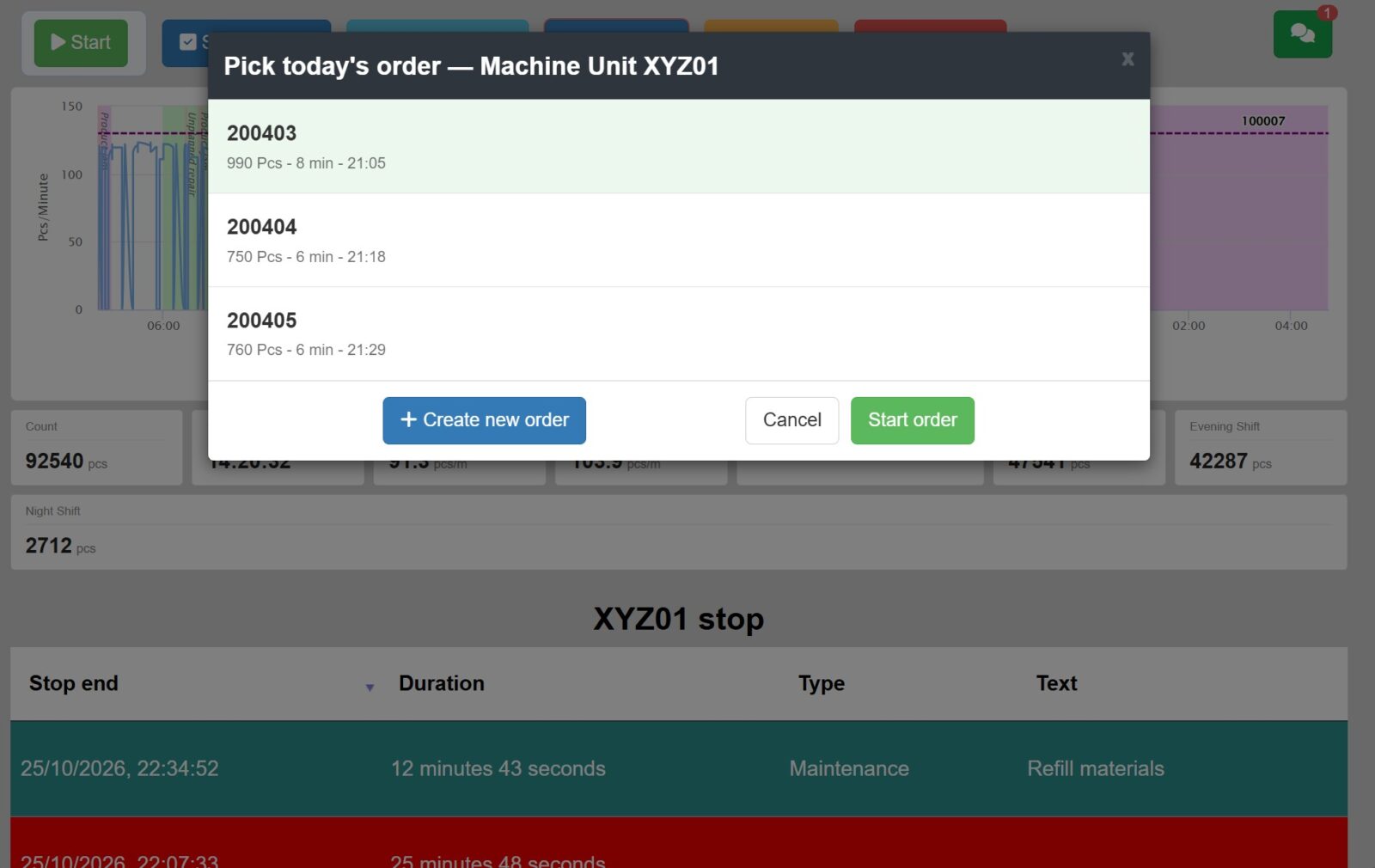
Start new orders and batches
Operators start new orders and handle changeovers straight from the panel — no trip to the office, no separate system. Production runs against the right order from the first unit, and performance per order, product and shift is captured automatically for TrendOEE.
AQL and changeovers
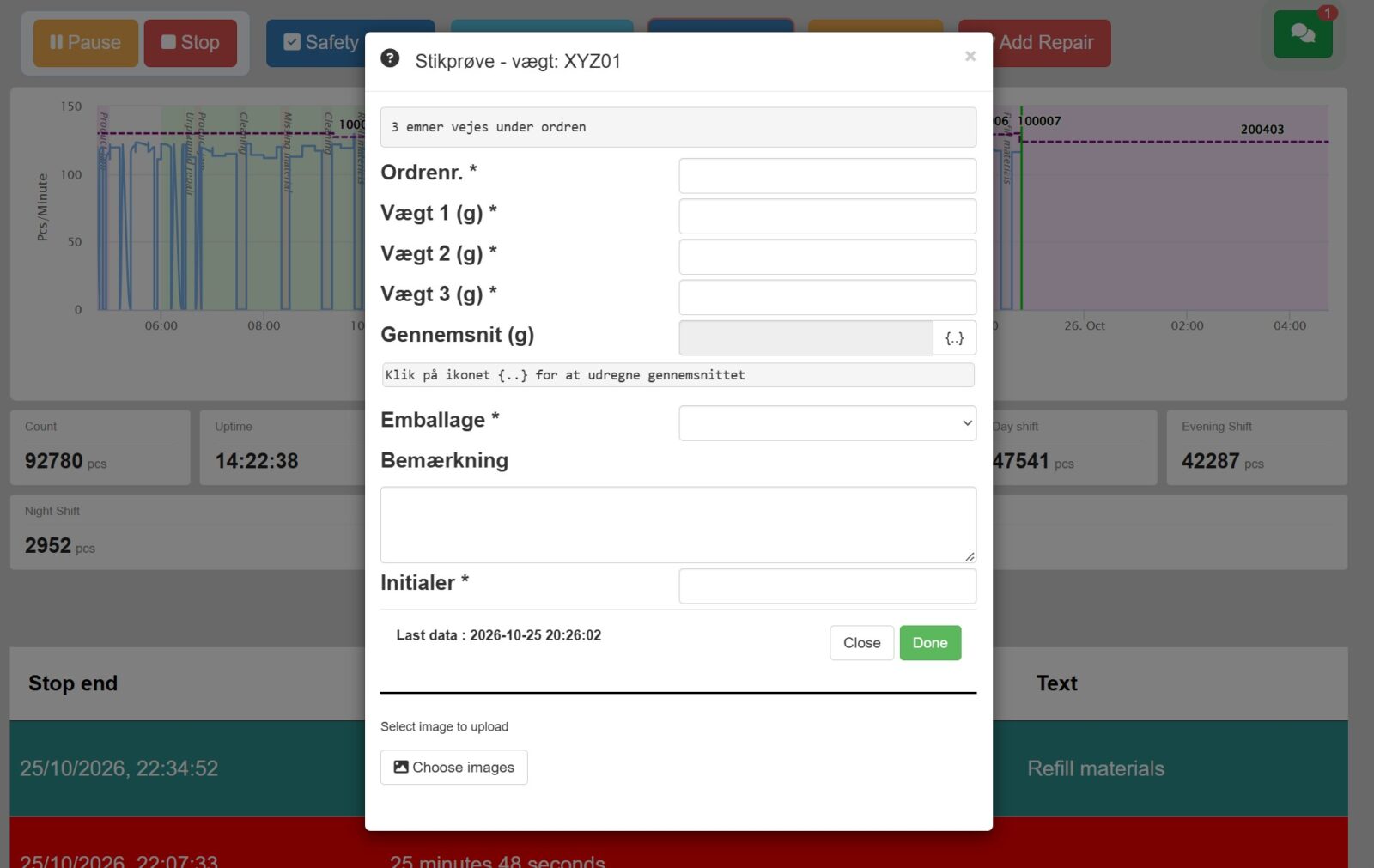
Run checks and AQL on the go
Scheduled checks, controls and AQL sampling appear on the panel when due, and the operator completes them in the moment — no separate device, no paper. Each result is documented with time, product and batch in TrendFORMS.
Where the shop floor meets the whole platform
The Operator Panel is the floor’s window into the Trendlog Production Suite: one screen that feeds OEE, maintenance and quality and shows live data back. It’s the clearest example of why the platform is more than its modules — the same tap that helps the operator also gives the manager, technician and quality team the data they need.
Frequently Asked Questions
What is the TrendSTOP Operator Panel?
It’s the operator’s workstation on the production floor — one screen for logging stop reasons, starting orders, reporting faults, running quality checks and seeing live line data. It feeds TrendOEE, MaintenancePLANNER and TrendFORMS from one place.
What is an ‘Ongoing stop’?
Ongoing stop is a live view showing what’s currently down and for how long — so the floor and the office act on the same real-time picture instead of reconstructing stops afterwards.
Can operators report faults to maintenance from it?
Yes. The operator reports a fault or calls for help directly from the panel, with the machine already identified. It becomes a logged task in MaintenancePLANNER — no lost notes.
Can quality checks and AQL run on the panel?
Yes. Scheduled checks, controls and AQL sampling appear when due and are completed on the panel, documented per product and batch in TrendFORMS — no separate device or paper.
Does it need its own hardware?
The panel runs on a tablet or production screen at the line. Live machine data comes in through the platform’s data collection (COLLECT / PLC), so the operator sees real-time status on the same screen they report from.
Ready to take control of your downtime?
Get started with TrendSTOP in your production. Book a demo and experience how easy it is to register downtime causes, issues, and tasks directly from the shop floor.